AssetFilm
Cinematic product videos from real 3D assets
Upload a clean GLB, choose premium studio shots, and render an accurate product film with exact geometry, logo placement, and repeatable camera moves.
No credit card required · GLB / GLTF up to 50 MBReal product assets, rendered live in your browser. Keep scrolling.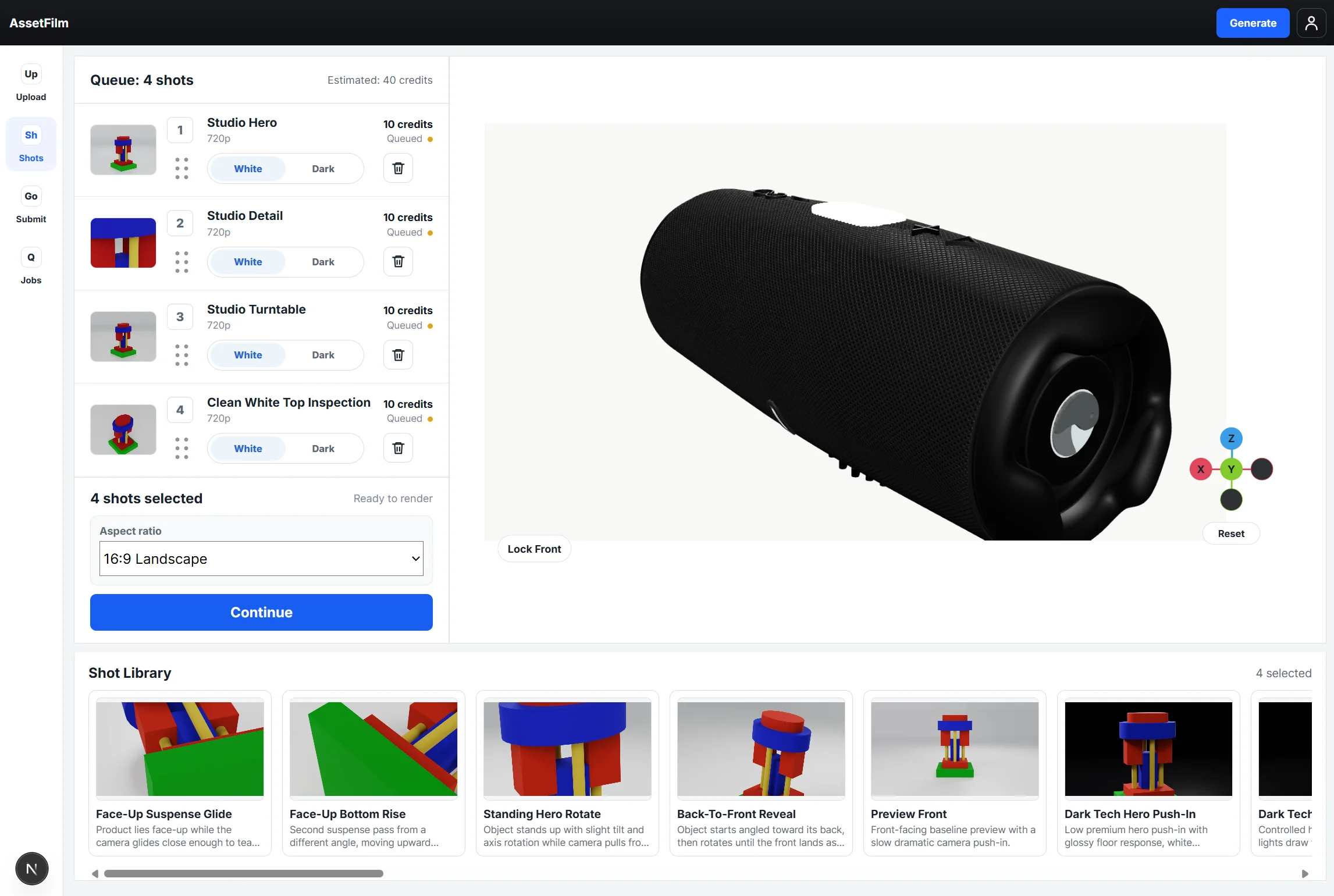
From asset to film in four steps
Drop your GLB. We check geometry, scale, and materials before a single frame renders.
Orient your product once in the 3D viewer. Every shot frames it correctly from then on.
Choose from the shot library and set clean white or dark tech lighting per shot.
The render farm does the rest. Download a finished MP4 in 16:9, 9:16, or 1:1.
The real asset. Not an AI guess.
AI video tools mutate your product. AssetFilm renders the approved asset itself.
- Logo drifts between frames
- Proportions and geometry mutate
- Different result on every run
- Inconsistent look across products
- Exact geometry, logo, and textures
- Deterministic. Re-render any time
- Consistent look across your whole catalog
- Accurate camera moves and lighting
Frequently asked questions
What is AssetFilm?
AssetFilm turns your product's 3D model into finished marketing videos. Upload a GLB file, choose camera shots from a studio library, and download an MP4 rendered from your exact asset — same geometry, same logo, every time.
What file formats does AssetFilm support?
GLB and GLTF files up to 50 MB. Every major 3D tool can export GLB — Blender, Cinema 4D, 3ds Max, Maya — and if your product already has a web AR or Shopify 3D viewer, that model is usually a GLB you can use directly.
Do I need 3D or video editing skills?
No. You orient your product once in the browser viewer, pick shots, and AssetFilm handles cameras, lighting, rendering, and editing. There is nothing to install and no timeline to edit.
How is AssetFilm different from AI video generators?
AI video tools re-imagine your product, so logos drift and proportions mutate between frames. AssetFilm renders your actual 3D asset with calibrated cameras and studio lighting, so the output is deterministic: exact geometry, exact logo, and the same result on every re-render.
How much does it cost?
New accounts start with enough free credits for your first two 720p shot renders — real renders that are yours to keep, no credit card required. After that you buy prepaid credit packs, and each rendered shot costs credits based on resolution: 720p, 1080p, or 4K.
What output do I get?
A finished MP4 product video in 16:9, 9:16, or 1:1 aspect ratio at up to 4K resolution — ready for product pages, social media, ads, and marketplaces.
Where do I get a 3D model of my product?
Many brands already have one: manufacturers and product designers work in CAD, and e-commerce AR viewers use GLB files. If you don't have a model yet, a freelance 3D artist can create a product-accurate GLB from photos and dimensions, and it becomes a reusable asset for every video after that.